
Why Shopify Is the Best Platform to Grow Your Online Business ?
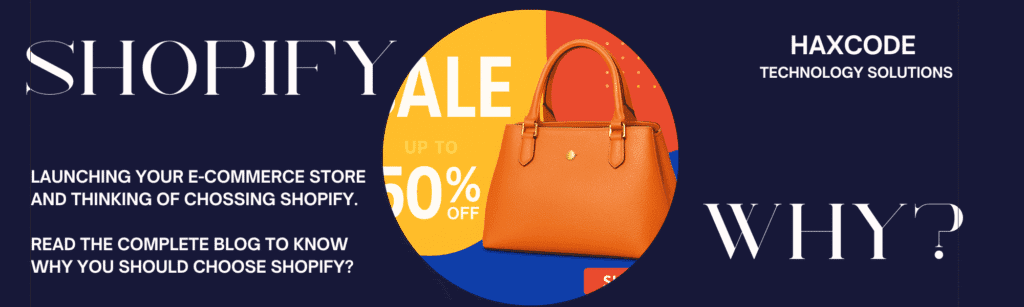
If you want to launch or scale an online store, Shopify is one of the most reliable and growth-ready platforms you can choose. It is fast, secure, easy to manage, and trusted by millions of brands worldwide—from small businesses to global D2C giants. 1. Easy to Set Up & Manage Shopify lets you create a store without coding. From product uploads to checkout setup, everything is simple and beginner-friendly. 2. Mobile-Optimized Shopping Most shoppers buy on mobile. Shopify stores load fast and look great on all devices, helping you increase conversions. 3. Secure & High-Performance With built-in SSL, PCI compliance, and powerful hosting, Shopify keeps your store safe and scalable—even during traffic spikes. 4. Powerful Apps & Integrations With thousands of apps, you can add features like reviews, subscriptions, automation, CRM, email marketing, and much more. 5. Perfect for D2C Brands Shopify supports branding, marketing, analytics, and order automation—making it the top choice for modern D2C businesses. Need a High-Converting Shopify Store? At Haxcode, we build fast, secure, and conversion-focused Shopify websites designed for growth.
Why Shopify is the Secret Weapon for Your Online Business (And How to Get Started)
Starting an online business can feel overwhelming—I watched my friend Sarah, a brilliant jewellery creator, struggle with complicated websites and tech headaches until she found Shopify. In just a weekend, she went from frustrated and stuck to running a beautiful, fully functional store. Here’s what makes Shopify a game-changer: That experience opened my eyes. So many amazing business ideas get stuck on the technical starting line. If you’re sitting on a brilliant product but the thought of building a website makes you break out in a cold sweat, you’re in the right place. This post isn’t just about a platform; it’s about a solution. I’m going to walk you through exactly why Shopify is the secret weapon for so many entrepreneurs and how you can get your own store up and running, minus the headaches. What Makes Shopify So Popular? Ever wonder why so many online stores run on Shopify? Here’s why it stands out: It’s not just a website builder—it’s a full toolkit for running and growing your online business. First and foremost, it’s incredibly easy to use. You don’t need to know a single line of code. The interface is clean and intuitive. Adding a product is as easy as filling out a form, and customising your store’s look and feel is mostly a drag-and-drop affair. I’ve helped friends set up stores for everything from custom t-shirts to artisanal coffee, and the reaction is always the same: “Wait, that’s it?” It removes the technical barrier that stops so many people from starting. Then there’s the scalability. You might be starting small, packing orders on your kitchen table. But what happens when you get a shoutout from an influencer and suddenly have 500 orders overnight? A poorly built site would crash. Shopify, however, is built to handle that kind of growth. It powers some of the biggest brands in the world, so you know its infrastructure can handle whatever you throw at it. You can start with the basic plan and grow without ever having to migrate or rebuild. It grows with you. Finally, the integrations are a game-changer. The Shopify App Store is like a treasure chest for entrepreneurs. Need to connect your store to your email marketing service? There’s an app for that. Want to add customer reviews, loyalty programs, or advanced shipping options? There are apps for those, too. This allows you to create a powerful, customised business engine without hiring a team of developers. It’s all about plugging in the tools you need, when you need them. How to Set Up Your Shopify Store in 5 Simple Steps Getting started with Shopify is honestly simpler than you might think. If you can set up a social profile, you can set up a store. Here’s what really matters: You can have a beautiful, functional store up and running in a couple of days—no tech headaches required. Step 1: Sign Up and Name Your StoreFirst things first, head over to the Shopify website and start your free trial. All you need is an email address. The first big decision you’ll make is your store name. My advice? Don’t overthink it. Pick something that reflects your brand, is easy to remember, and isn’t already taken. Shopify will automatically generate a yourstorename.myshopify.com URL, but you can (and should) buy a custom domain like yourstorename.com right through Shopify. It looks much more professional. Step 2: Add Your First ProductThis is the fun part! Go to the “Products” section and click “Add product.” You’ll be prompted to add a title, a description, photos, and a price. Be descriptive and use high-quality images. People can’t touch your product, so your photos and descriptions have to do all the work. You can also add variants, like different sizes or colours, for each product. Just focus on getting one product live to start; you can add the rest later. Step 3: Choose a Theme and Customise Your LookNow, let’s make it pretty. Shopify has a theme store with both free and paid options. The free themes are fantastic and more than enough to get you started with a professional-looking site. I always tell people to start with a free theme like “Dawn.” Once you pick one, you can use the theme editor to change colours, upload your logo, and arrange the sections on your homepage. It’s all visual, so you can see your changes in real-time. Step 4: Set Up Your Payments and ShippingThis is the crucial step to actually making money. In your settings, go to “Payments.” Shopify Payments is the easiest way to go. It lets you accept all major credit cards instantly. Then, head to “Shipping and delivery.” Here, you can set up your shipping rates. You can offer flat rates, free shipping over a certain amount, or calculated rates based on weight. Start simple. A flat rate for domestic shipping is a great starting point. Step 5: Launch Your Store!You’re almost there. Before you go live, it’s a good idea to place a test order yourself to make sure the entire process—from checkout to email confirmation—works smoothly. Once you’re confident everything is working, go to your “Online Store” settings and remove the password protection. That’s it! You’re officially open for business. Tips to Make Your Shopify Store Stand Out Standing out in a crowded market isn’t just about opening a store—it’s about delivering an experience that shoppers remember. Give shoppers a reason to stay, come back, and tell their friends about you. Your theme is your digital storefront, so make your homepage count. Don’t just list products; tell a story. Use high-quality banner images that capture the essence of your brand. Are you selling rugged outdoor gear? Show it in action on a mountain. Are you selling cosy, handmade blankets? Show someone wrapped up in one by a fireplace. Use the text sections to talk about your mission and what makes your products special. Branding goes beyond a logo. It’s the voice you use in your product descriptions, the
No-Code Tools That Can Replace Expensive Software

I still remember the knot in my stomach when I got the quote. I was launching a small online course a few years back and needed a simple platform for my students to log in, view videos, and download materials. The custom development quote came back at a staggering five figures. My heart sank. There was just no way my tiny budget could handle that. I almost gave up, thinking my idea was dead in the water unless I won the lottery or learned to code overnight. It felt like I was locked out of the game simply because I couldn’t afford the key. That experience sent me down a rabbit hole I’m incredibly thankful for today. I discovered the world of no-code tools. These platforms felt like a superpower. They let me build the exact things I needed—websites, apps, automated workflows—without writing a single line of code. Suddenly, I wasn’t locked out anymore. I had found a whole set of keys. If you’ve ever felt that same frustration, that sense of being limited by budget or technical skills, then this post is for you. We’re going to explore some amazing no-code tools that can replace expensive software, saving you a ton of money and empowering you to bring your ideas to life. Build a Stunning Website Without a Designer Remember the days when building a website meant hiring a costly agency or spending months learning HTML and CSS? A professional-looking site could easily set you back thousands. When I started my first blog, I spent weeks trying to tweak a clunky, free theme. It was a disaster. It looked amateurish, and every time I tried to change something, something else would break. I was convinced I just didn’t have the “eye” for design. Then I found Carrd. It was a revelation. For less than the price of a few cups of coffee a year, I could create beautiful, responsive, single-page websites. It’s perfect for landing pages, personal portfolios, or showcasing a new product. The interface is all drag-and-drop, so you’re moving elements around visually, not wrestling with code. I built a landing page for a freelance service in about two hours, and it looked more professional than the site I had spent weeks fighting with. For more complex needs, like a full blog or an e-commerce store, tools like Webflow and Framer give you incredible power. They offer the design flexibility of high-end software like Adobe XD but translate your visual designs directly into a live website. You get the polish of a custom-coded site with the ease of a visual editor. Have you ever abandoned a project because the website felt like too big of a hurdle? With these tools, that barrier is gone. Ditch the Pricey Project Management Subscriptions In the corporate world, I’ve used all the big-name project management tools—the ones that come with hefty per-user monthly fees. They are powerful, no doubt. But for a small team or a solo entrepreneur, that cost adds up fast. When I went freelance, I needed a way to track projects for multiple clients, manage my content calendar, and keep my personal to-do lists in order. Paying for three different subscriptions wasn’t an option. This is where Notion and Airtable completely changed my workflow. I started using Notion as a simple to-do list, but it quickly became my “second brain.” It’s a flexible workspace where I can create databases, Kanban boards, calendars, and documents all in one place. I built a custom content calendar that tracks an article from idea to publication. I have another database for client projects, complete with invoices and contact information. It replaced at least two paid apps I was considering. Airtable takes this a step further, blending the simplicity of a spreadsheet with the power of a database. Think of it as Google Sheets on steroids. I once worked with a small non-profit that was using a ridiculously expensive and complicated donor management system. We rebuilt their entire process in Airtable in a single weekend. We created a base to track donors, log communications, and manage fundraising campaigns. They saved thousands of dollars a year and ended up with a system that was actually easier for their volunteers to use. Automate Your Work and Reclaim Your Time One of the biggest hidden costs in any business is time spent on repetitive, manual tasks. Think about copying information from an email to a spreadsheet, manually sending follow-up messages, or posting the same update across multiple social media platforms. These tasks drain your energy and prevent you from focusing on what really matters. Enterprise automation software can solve this, but it’s often complex and wallet-crushing. Enter the world of no-code automation with tools like Zapier and Make. These platforms act like a bridge between all the different apps you use every day. You can create “if this, then that” rules to automate your workflows. For example, I have a “Zap” that automatically saves any invoice I receive in my Gmail to a specific folder in Google Drive. Another one posts my new blog articles to LinkedIn and X (formerly Twitter) as soon as they are published on my site. I once helped a friend with her online shop. She was spending hours each week manually adding new customer information from her payment processor into her email marketing list. We set up a simple automation in Make. Now, whenever someone makes a purchase, their name and email are instantly added to her newsletter list and tagged with the product they bought. It’s a small thing, but it saves her about five hours a month—time she now spends creating new products. What repetitive task in your life could you automate away? Conclusion: You Have the Power to Build That feeling of being on the outside looking in, blocked by technical barriers or financial constraints, is something too many creative people experience. The truth is, you no longer need a massive budget or a computer science degree to
How to Start a Blog and Make Money in 2025: My Honest Guide

I remember staring at a blank screen back in 2018, my cursor blinking mockingly. I had just paid for a domain name and hosting, filled with the romantic idea of becoming a full-time blogger. The reality? I had absolutely no idea what I was doing. All I knew was that I wanted to share my passion for sustainable living and, maybe, just maybe, earn enough to quit my soul-crushing desk job. It felt like shouting into a void. Fast forward to today, and that little blog is my full-time career. It wasn’t an overnight success story, and it certainly wasn’t easy. But it was worth it. If you’re standing where I was, full of ideas but riddled with doubt, this post is for you. I’m going to walk you through the real steps—the stuff I wish someone had told me—on how to start a blog that can actually make money in 2025. No fluff, just the honest-to-goodness process. First Things First: Finding Your Niche (and Why It Matters More Than Ever) Before you even think about a domain name or a fancy theme, we need to talk about your niche. I know, I know, every “how to blog” guide says this. But there’s a reason. When I first started, my blog was about “living a better life.” Can you guess how well that went? It was way too broad. I was writing about budgeting one day and vegan recipes the next. Nobody knew what my blog was about, and neither did Google. The trick is to find the sweet spot where your passion, your expertise, and other people’s problems intersect. Don’t Just Pick Something You Love; Pick Something You Can’t Shut Up About Passion is great, but obsession is better. What’s a topic you could talk about for hours without getting bored? What do your friends come to you for advice on? For me, it was reducing household waste. I was already doing it, researching it, and bugging my family about it. It wasn’t just a hobby; it was a part of who I was. That’s the kind of energy that will get you through the days when you feel like no one is reading. Think about it: Those are niches. Starting a blog in 2025 means being a specific solution for a specific group of people. Setting Up Your Blog: The Non-Scary Technical Stuff Okay, let’s get the technical part out of the way. This is where a lot of people get overwhelmed and quit. Don’t. I am the least tech-savvy person I know, and I managed it. You can too. Here’s the simple breakdown: Creating Content People Actually Want to Read You could have the most beautiful blog in the world, but without great content, it’s just an empty digital storefront. This is the heart and soul of your blog. Your goal isn’t just to publish posts; it’s to build a library of helpful, engaging resources that serve your audience. Solving Problems, Not Just Writing Posts My biggest breakthrough came when I stopped writing what I wanted to say and started writing what my audience needed to hear. How do you figure that out? Simple: listen. When you start providing genuine answers to real problems, you stop being just a blogger and become a trusted resource. That’s how you build an audience that sticks around. The Slow Burn: How You Actually Make Money from a Blog Let’s talk money. This is where a lot of unrealistic expectations live. You will not get rich in your first month. Or your third. Or maybe even your first year. Blogging income is a slow burn, but it builds on itself. Here are the main ways I’ve made money from my blog, in the order I implemented them: Conclusion: Your First Step is the Only One That Matters Starting a blog in 2025 might seem daunting. There’s a lot of noise out there. But the core principles haven’t changed. It’s about finding a small corner of the internet where you can be genuinely helpful to a specific group of people. It’s about showing up consistently, even when it feels like no one is listening. My journey from a confused wanna-be blogger to a full-time business owner wasn’t a straight line. It was full of doubts, mistakes, and lots of learning. But it all started with that one, imperfect first post. You don’t need to have it all figured out right now. You just need to start. So, what’s that one topic you just can’t shut up about? Maybe that’s your first post.